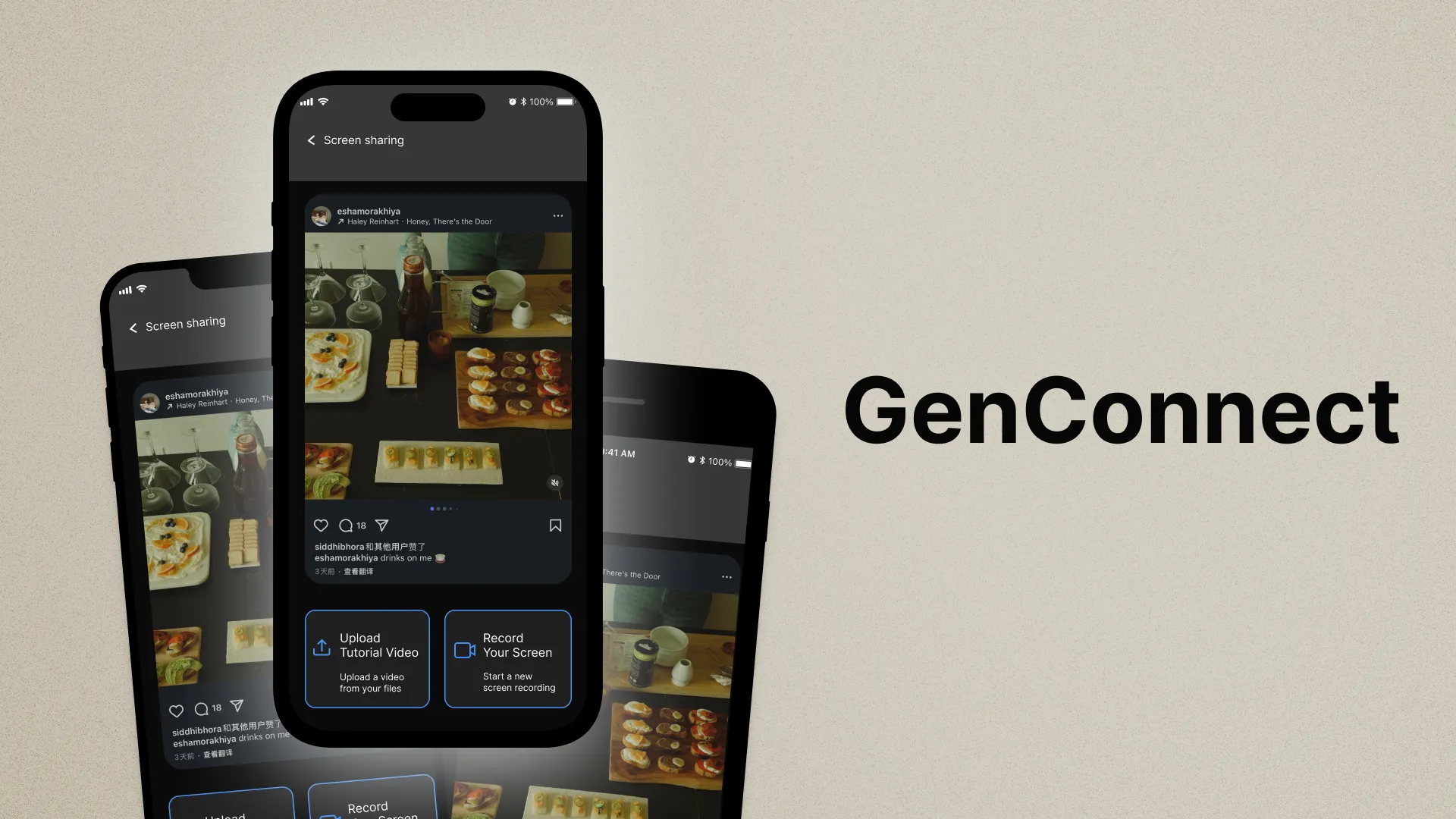
Older adults are adopting social media with help from younger family members, but this support
role creates challenges for the younger generation. This project explores those challenges and
designs better support systems.
Duration3 months
RoleResearcher & Designer
Team3 members
ToolsFigma, FigJam
My Contributions: I led team direction and workshop facilitation throughout
the project, guiding team meetings and running co-design workshops with participants. I managed
the cultural probe methodology from design through analysis, synthesized research findings into
requirements and personas that shaped our accessible interface design, and coordinated documentation
to translate user insights into the final solution.
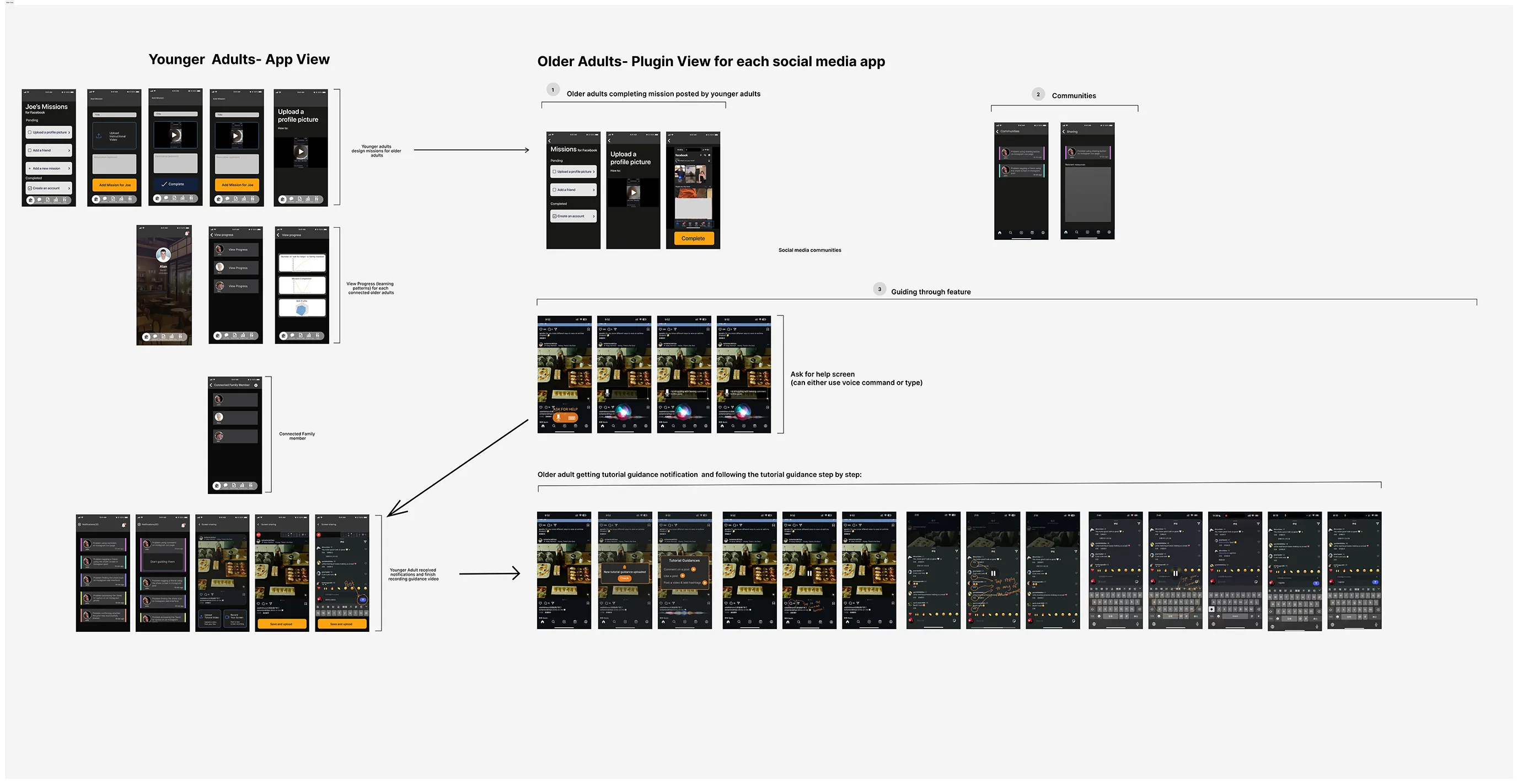
Complete product flow in Figma.
Research & Methods
A mixed-methods approach was used to gather insights from younger adults who assist older relatives
with social media, and to validate findings with older adults themselves.
Our research involved 18 participants across four methods. We interviewed 4
older adults aged 60 and above via video call, ran a week-long cultural probe with 3 younger adults
between 18 and 30, hosted two co-design workshops with 8 participants total, and conducted follow-up
validation sessions with 3 older adults.
Literature Review
After narrowing our project focus, we conducted a literature review to understand existing research
on intergenerational technology adoption.
Logistics
Each team member analyzed 3–4 academic sources, synthesizing insights in a shared Google Sheet (opens in new tab) to inform our project paper.
Key Findings
Technology adoption, especially social media, helps older adults reduce isolation, maintain
family relationships, and access critical services, though adoption rates remain uneven due to
trust and usability concerns.
Seniors face challenges such as complex interfaces, cybersecurity worries, lack of confidence,
and insufficient support. Internet access and digital skill gaps further hinder engagement.
Younger family members are the main motivators and teachers for older adults' technology use.
Intergenerational mentorship is characterized by personalized, repetitive, and emotionally
supportive guidance which proves most effective for overcoming both technical and psychological
barriers.
Older adults prefer simple, low-stress designs, hands-on practice, and step-by-step
instructions. They value reassurance about privacy and security and often benefit from
structured learning with family support.
Summary
While family support is important, not all intergenerational teaching fully meets seniors' needs. Few
studies compare traditional family mentorship with hybrid or community-based models, highlighting
opportunities for more tailored and multifaceted support approaches.
Initial Contextual Interviews with Older Adults
Interviews with four older adults aged 60+ provided foundational understanding of their technology
attitudes and interactions.
Logistics
We conducted four one-on-one video interviews with older adults aged 60+. Interviewers followed a
semi-structured question guide exploring digital habits, frustrations, and learning preferences, with
leeway to follow up on notable insights. Findings were thematically coded.
Key Findings
Most used social media to connect with family, but struggled with changing interfaces and
managing security.
Preferred learning through hands-on guidance from a trusted family member.
Expressed anxiety about making mistakes, especially regarding privacy and account security.
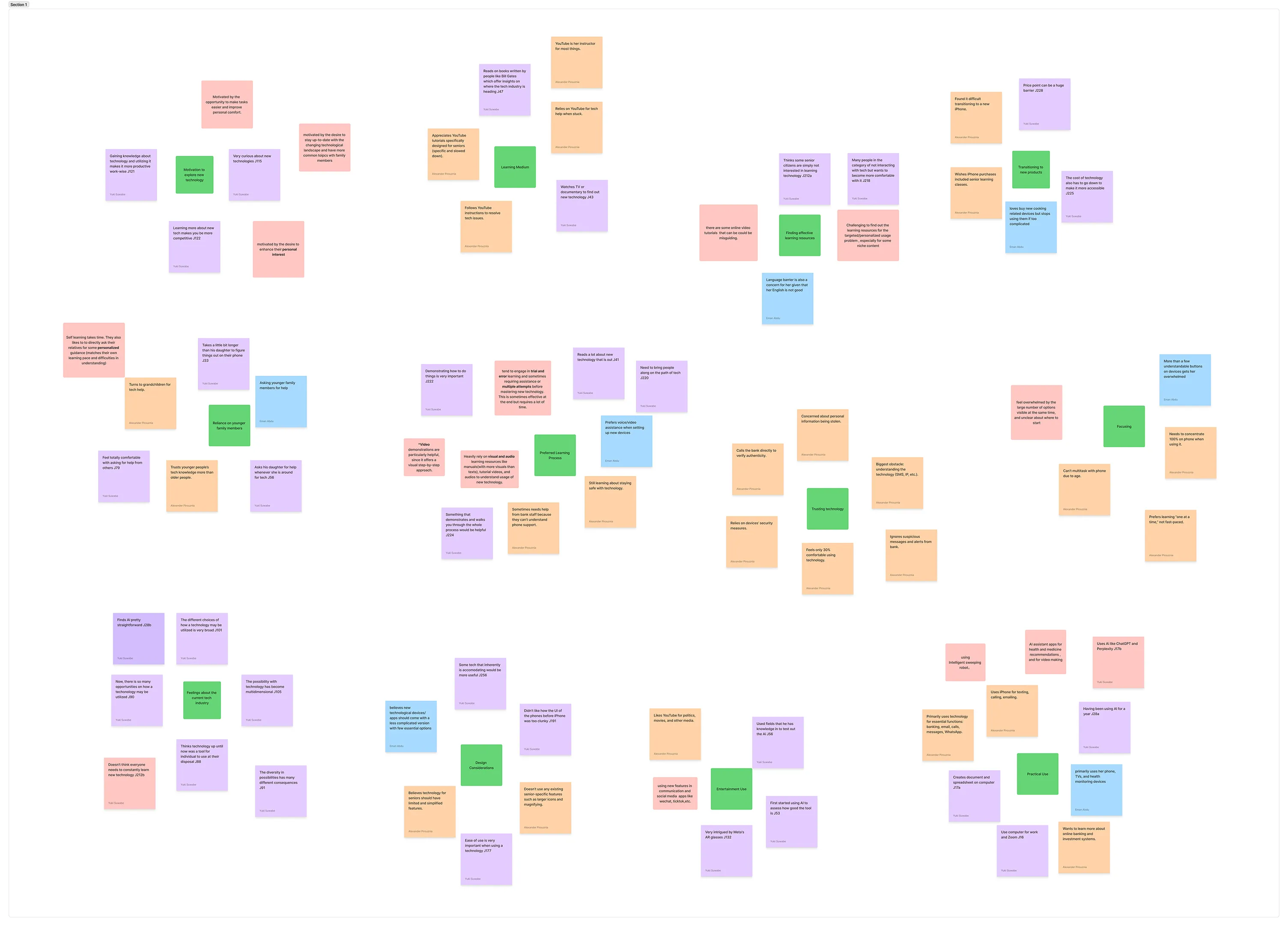
Findings were clustered into key insight groups in FigJam.
Contribution
These insights highlighted the need for a solution that feels safe, familiar, and supportive, which
prompted us to prioritize clear, step-by-step guidance and reassuring feedback.
Method I: Cultural Probe with Younger Adults
A week-long cultural probe with younger adults aged 18–30 captured nuanced insights into teaching
dynamics, communication challenges, and emotional labor. Participants used kits with scenario
prompts, journals, and teaching aid documentation tools. Findings highlighted complexity and privacy
as major concerns for older adults, and the importance of patience, repetition, and clear
instructions from younger helpers.
Logistics
We recruited 3 younger adults aged 18–30 who had recently assisted older relatives with technology
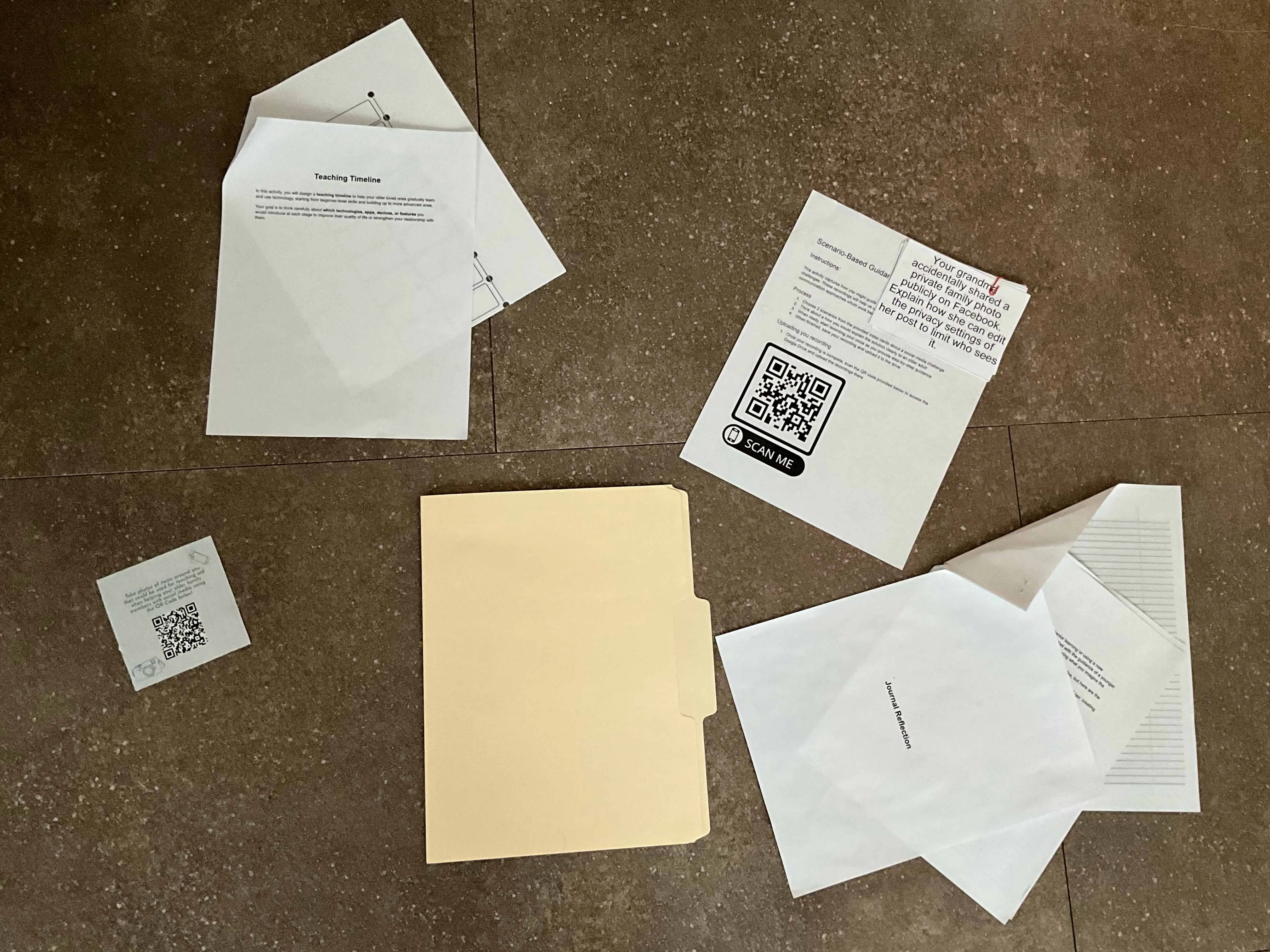
use. Each received a cultural probe pack including:
Teaching Timeline: A beginner-to-advanced timeline with technologies suggested
to inspire older loved ones and brief justifications for each choice.
Journal Reflection: Participants reflected on the experience from the
perspective of the older adult they were assisting.
Scenario-Based Guidance Recording: Support scenarios prompting participants to
record audio or video explaining how they would resolve each support situation.
Teaching Aid Photo Documentation: Using the "Disposable" app, participants
captured photos of physical objects they found helpful as teaching aids.
Teaching timeline, scenario-based guidance, journal reflection, and teaching aid
documentation items included.
Key Findings
Younger family members are essential in helping older adults adopt and use technology by
providing both technical and emotional support.
The teaching process was often reciprocal: older adults shared life experience while younger adults
shared digital skills.
Older adults face anxiety about making mistakes and concerns over privacy and security.
Technical jargon and changing interfaces can be overwhelming.
Younger mentors often struggle with patience and adapting their teaching methods.
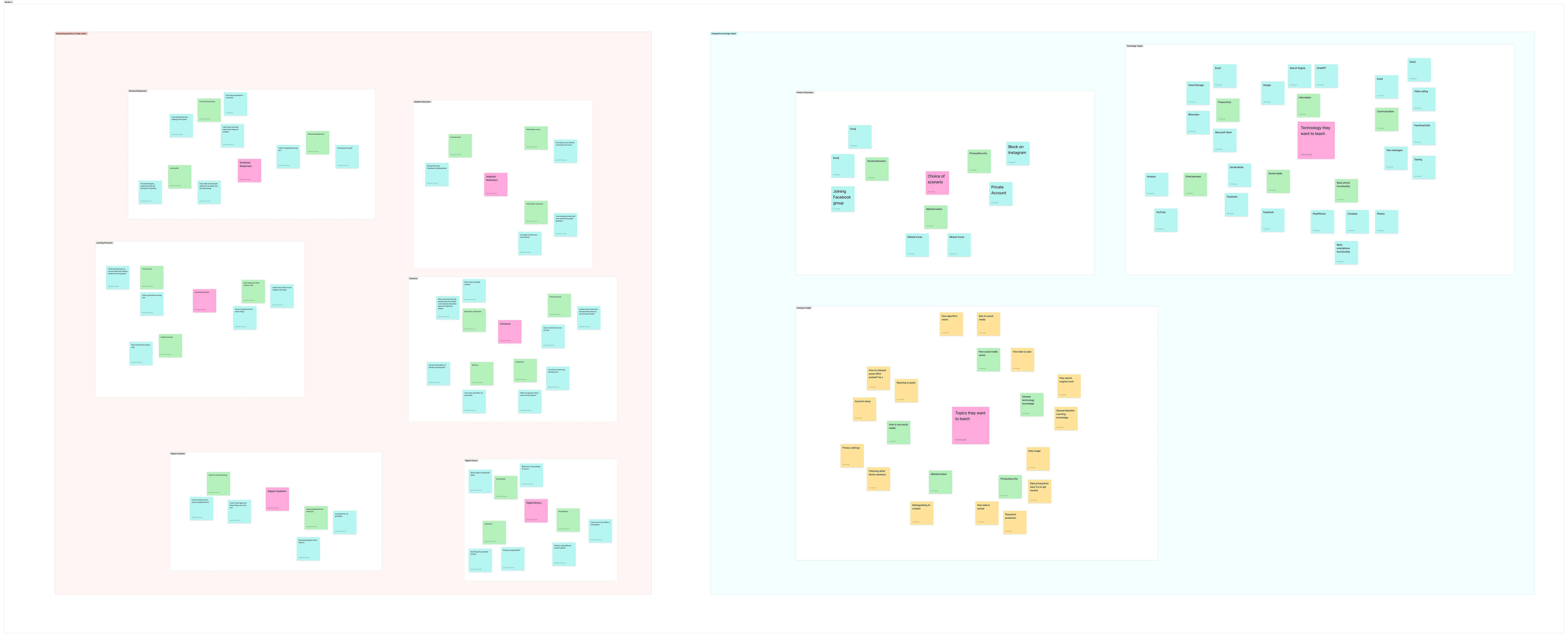
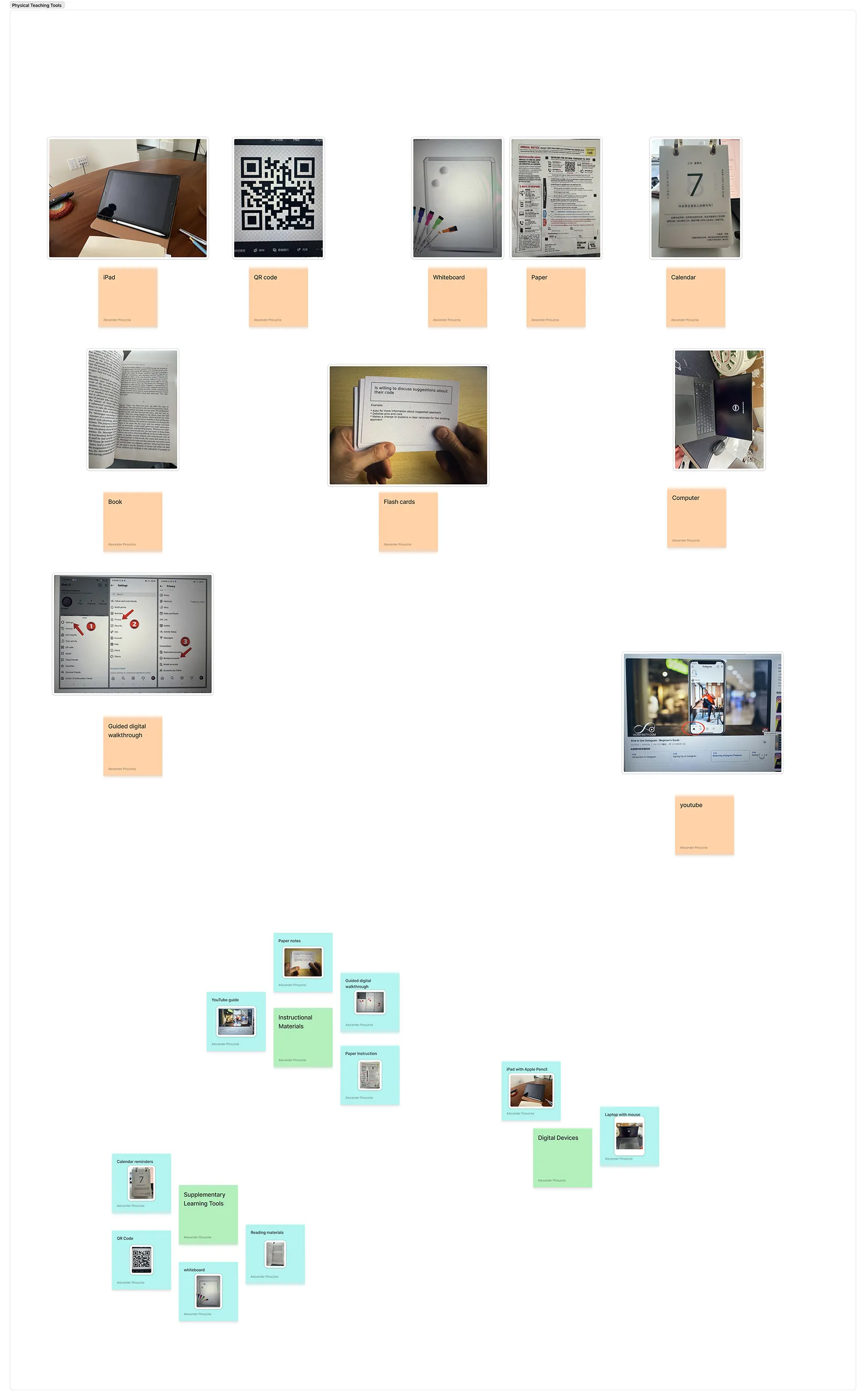
Findings clustered into perspectives of older adults versus younger adults.Findings clustered into physical teaching tools.
Summary
These findings showed us that accessible, supportive solutions help both generations feel empowered
and connected.
Method II: Co-Design Workshops
Two co-design workshops with younger adults focused on problem framing, ideation, and concept
development. Participants explored everyday support hurdles and collaborated on interface concepts to
bridge the generational digital divide.
Logistics
We hosted two 60-minute in-person workshops with 4 young adult participants each. Using whiteboards,
collaborative exercises, and paper prototyping supplies, participants mapped out common support
scenarios and brainstormed ideal features. Sessions were recorded and analyzed for recurring themes.
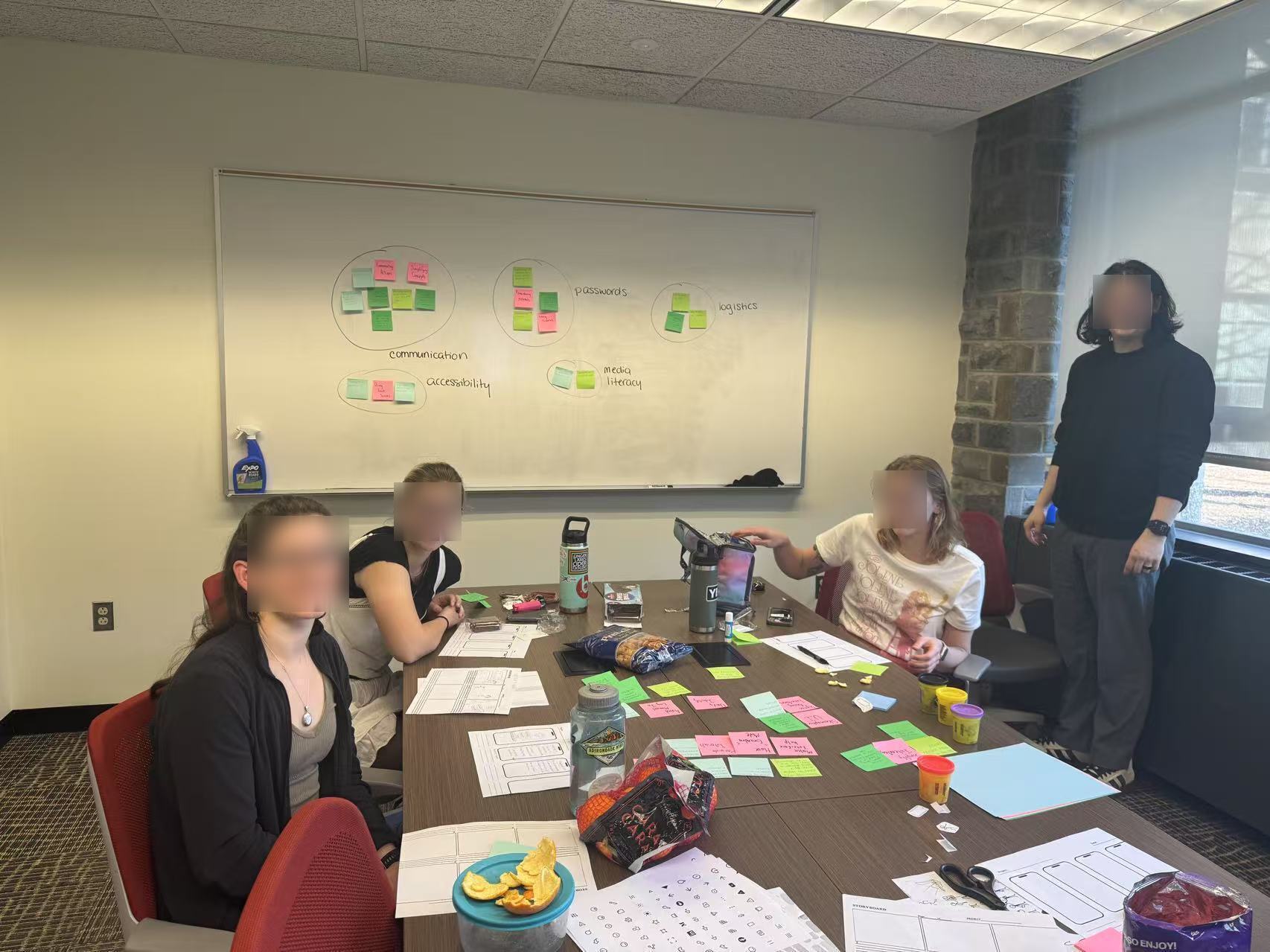
Participants in conference room having just participated in co-design session.
Key Findings
Participants focused on familiar physical metaphors, visual documentation, and blended human/AI
assistance, identifying several key priorities:
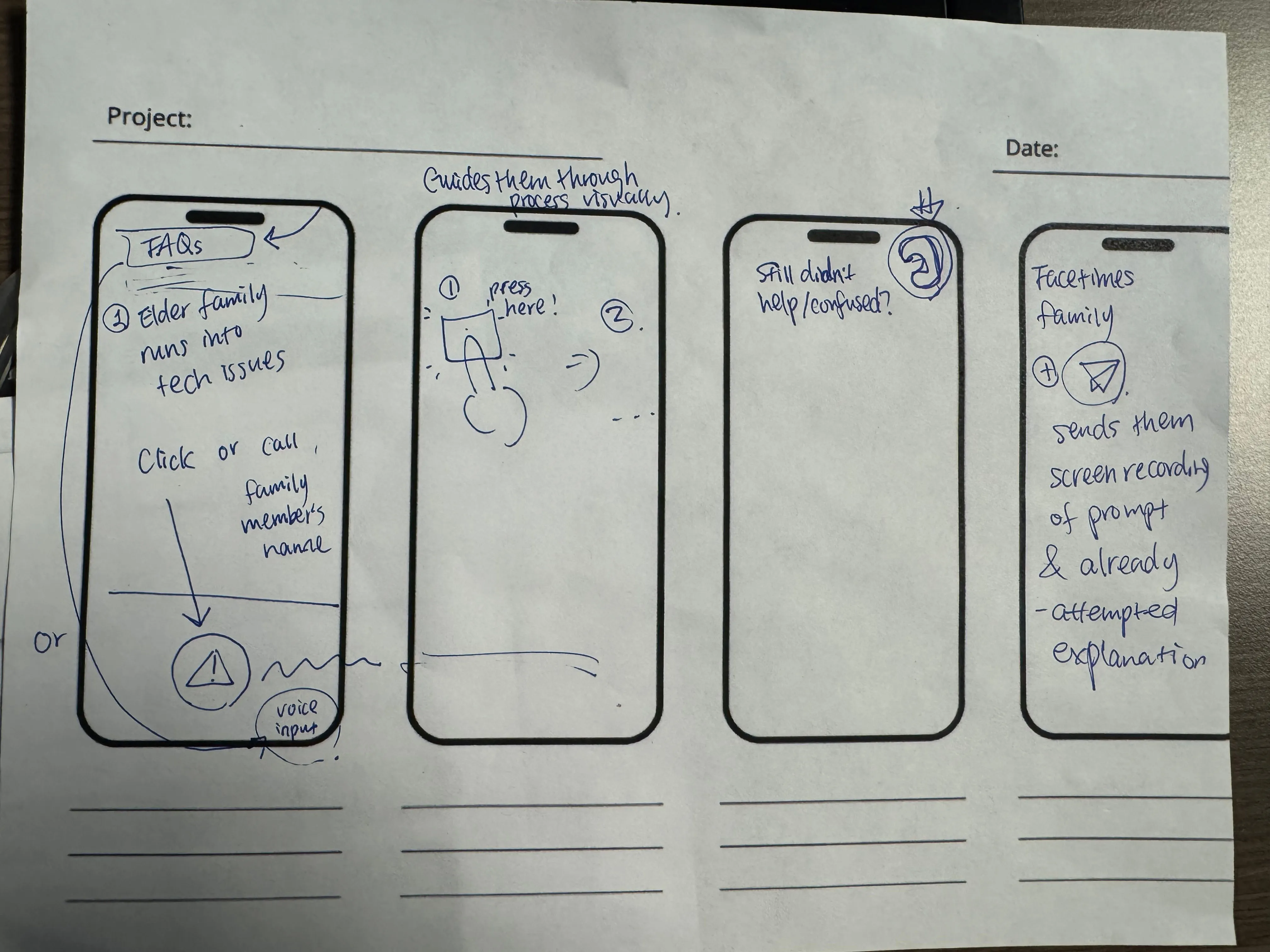
Desire for a quick assistance button for seniors.
Interest in personalized, family-created walkthroughs.
Need for reminders and progress tracking to reinforce learning.
"What is my username? What is my password?"
"One week later... they're not here, so how did she increase the volume?"
"So you fake the TV dial. You fake the typewriter."
"A folder of visual steps and physical manuals."
"It's a new type of world with problems they're not trained for."
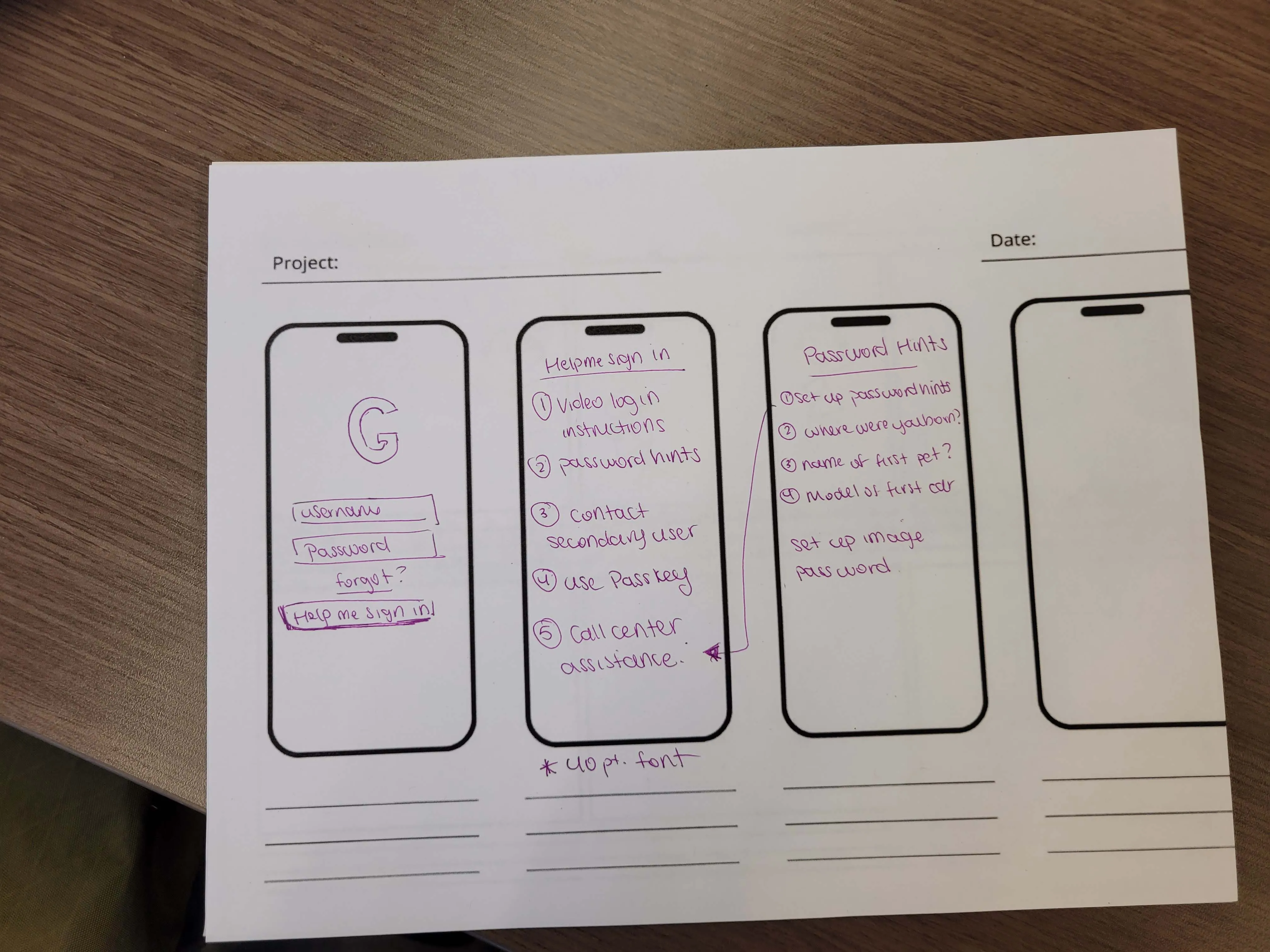
"Help Me Sign In" button with escalating assistance levels.AI-powered phone assistant with a physical help button.
Contribution
These workshops shaped our feature set. We added a help button, custom walkthroughs, and progress
dashboards based on what participants told us they needed.
Older Adults Follow-up
Follow-up interviews with older adults aged 60+ validated concepts from the co-design workshops.
Participants confirmed challenges with password management, expressed a preference for family support
alongside openness to AI assistance, and emphasized the necessity of larger interface elements and
privacy-conscious screen sharing.
Logistics
We interviewed 3 older adults aged 60+, presenting interactive prototypes and storyboards. Each
30-minute session focused on usability, appeal, and likelihood of adoption. Feedback was recorded and
synthesized alongside workshop findings.
Key Findings
Strong preference for large, clear visuals and the option to hear/see instructions.
Appreciation for being able to revisit help content at their own pace.
Valued the option to connect with a real person if needed.
"I have a little book... That's my password book."
"I almost always go straight to asking someone in my family."
"I like big buttons and big text... I press wrong things if icons are small."
"If she could see what I saw, that would save us both time."
"Reading instructions doesn't help much and I need to see and hear it."
Contribution
This feedback confirmed that our focus on accessibility and flexible, multimodal support met the
needs of older adults.
Our research identified two key pillars for fostering effective intergenerational tech support:
context-aware guidance and long-term familiarity with foundational digital skills.
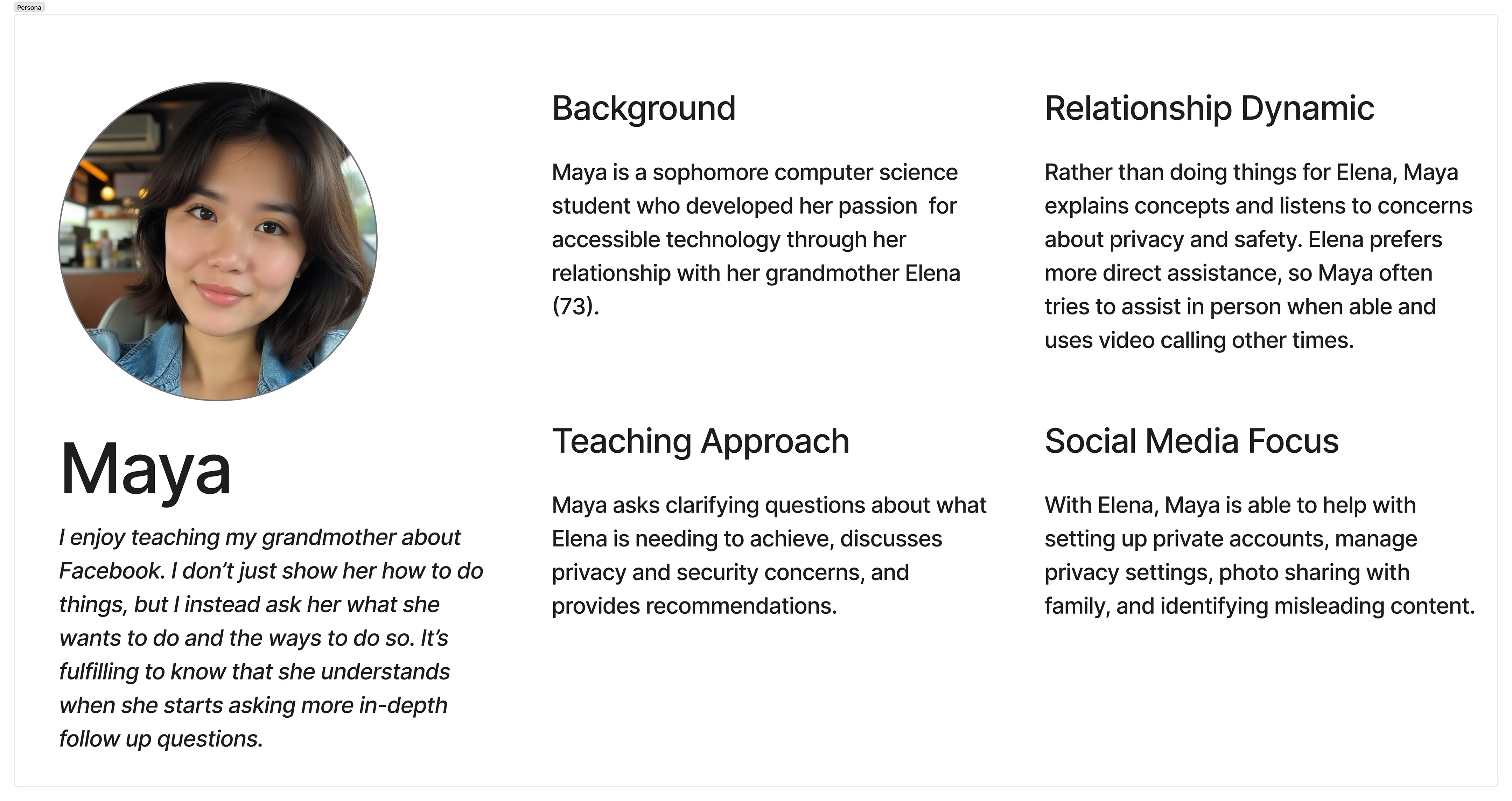
To ensure our design addressed authentic user needs, we developed a persona that was iteratively refined
throughout the project.
Ideation
Persona detailing target younger adult audience.
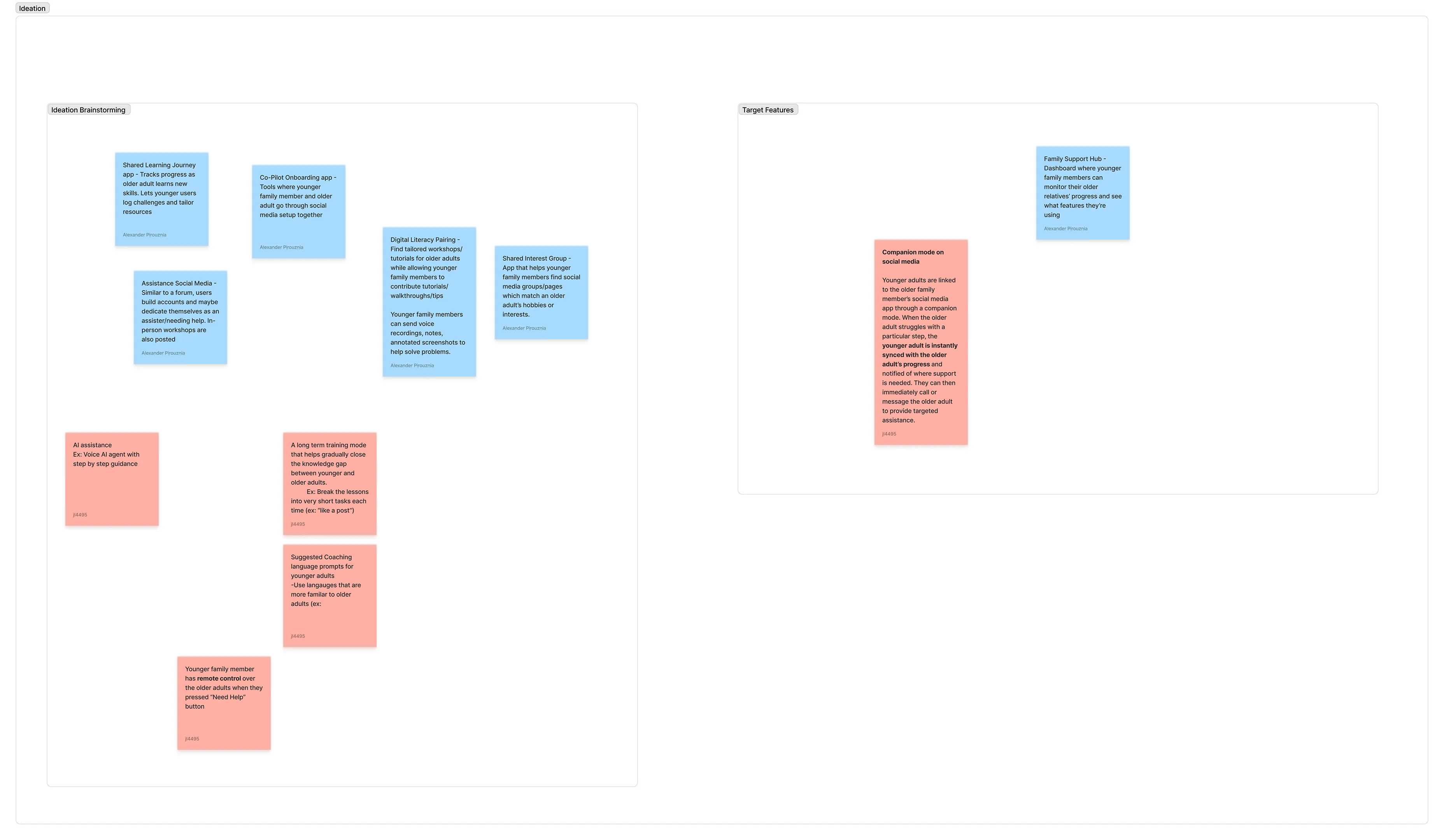
As research concluded, we transitioned into rapid brainstorming to generate a wide range of solution
concepts. We grouped and prioritized ideas that balanced technical clarity with emotional reassurance.
For inspiration, we also looked at how self-care apps work—especially Finch, which lets friends
check in on each other's well-being.
Rapid ideation followed by target features.
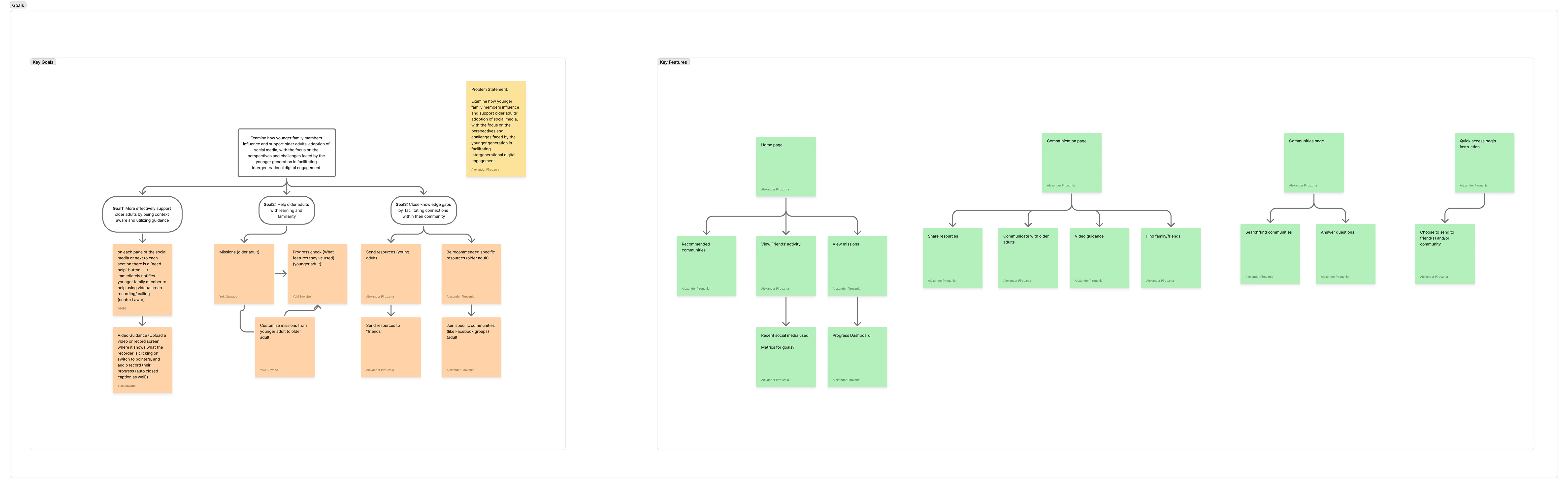
Following our final direction, our application was fleshed out around three core goals. Furthermore, we
created an information architecture to help guide the flow of the application.
Sticky notes for key goals followed by general information architecture for application.
Core Concepts of GenConnect
For Older Adults: An interface with a voice agent integrated into social media
platforms for natural questioning and immediate guidance. A notification icon provides walkthroughs
from family members. Behavior-based suggestions offer proactive help. "Missions" and community
groups foster learning and accomplishment.
For Younger Adults: A dedicated app to respond to questions, create custom
walkthroughs, and track the progress of older adults they assist. This addresses the challenges of
teaching and the need for structured communication tools.
Key Features of GenConnect
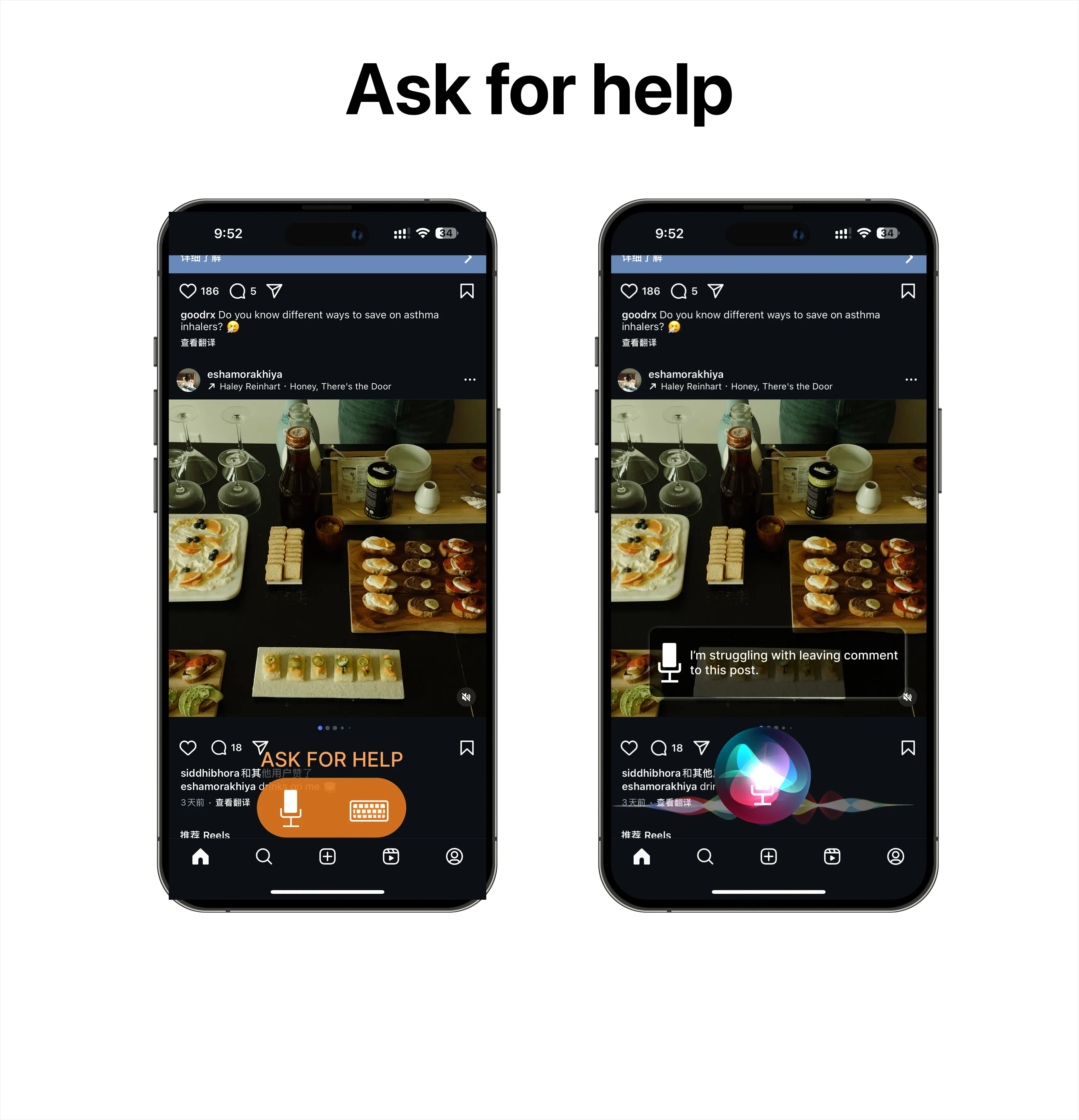
Voice Agent + Keyboard Input
Flexible input methods for older adults to ask for help within social media. The system offers proactive
help based on user behavior (e.g., lingering on a screen).
Older adults can easily get help either through voice or typing prompting.
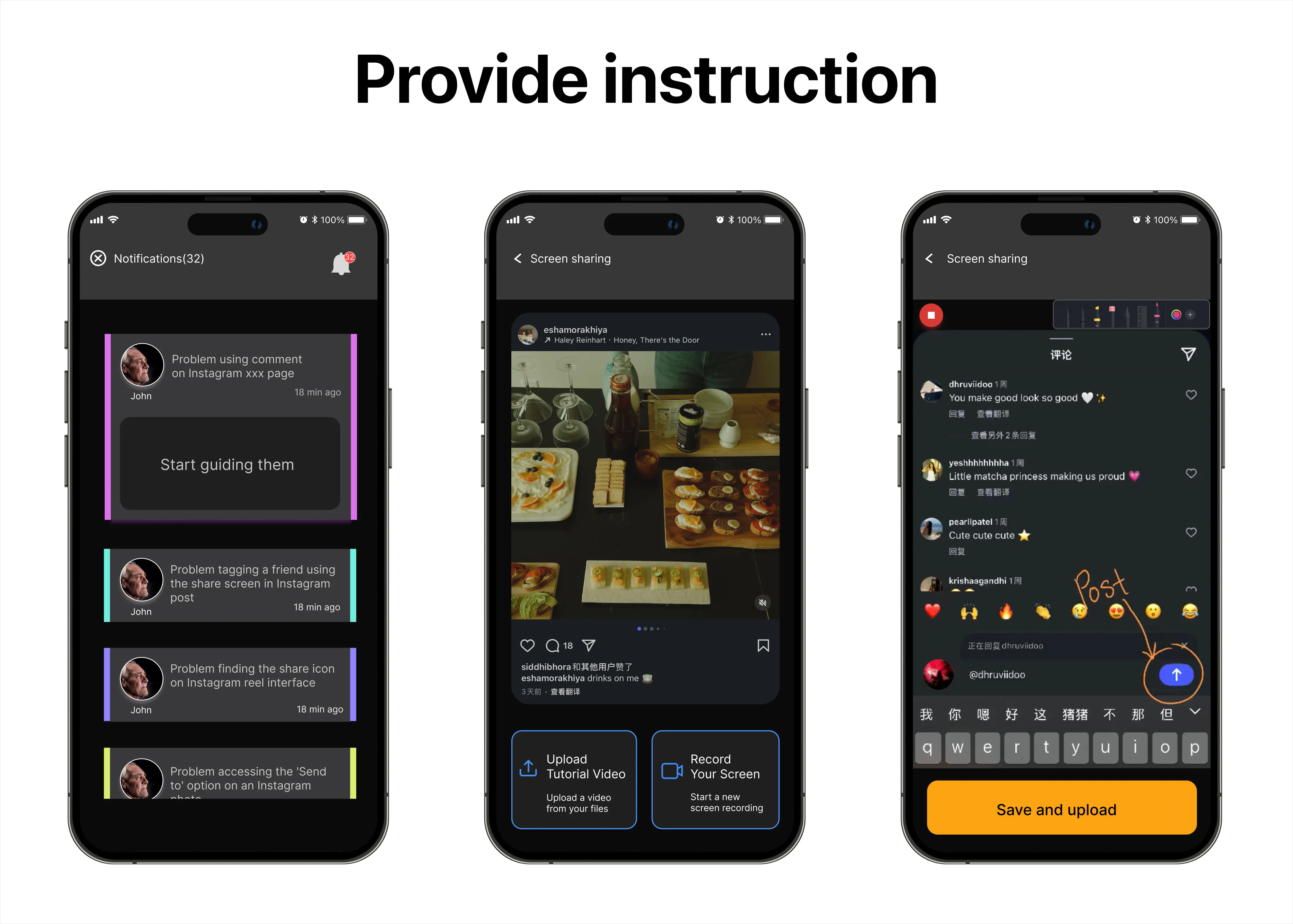
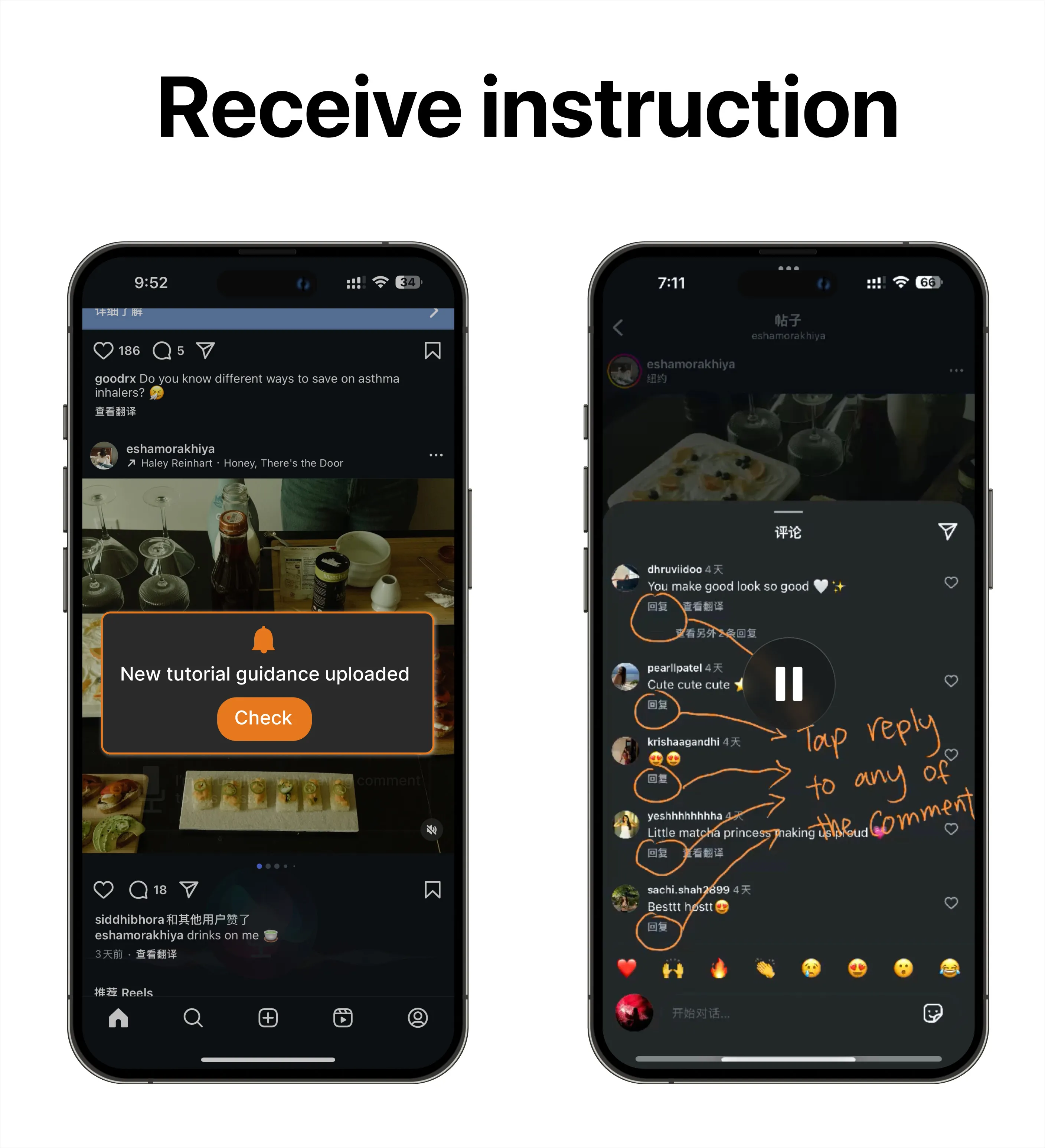
Custom Walkthroughs
Younger family members can review questions submitted by older adults and create tailored step-by-step
guides.
Younger adults are able to create tailored guides based on the questions asked.
Older adults receive a notification when instructions are sent to them and can actively
follow along.
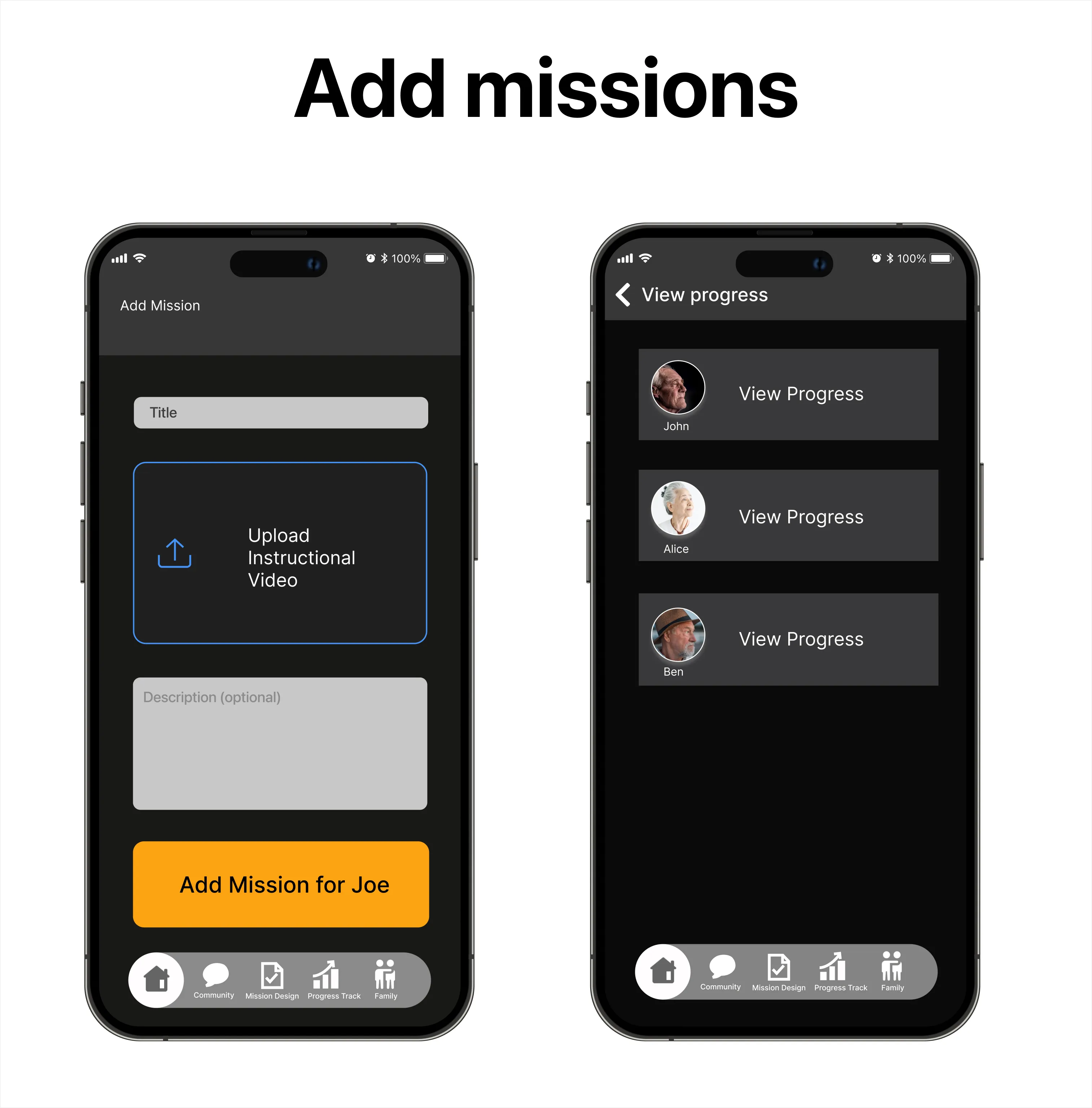
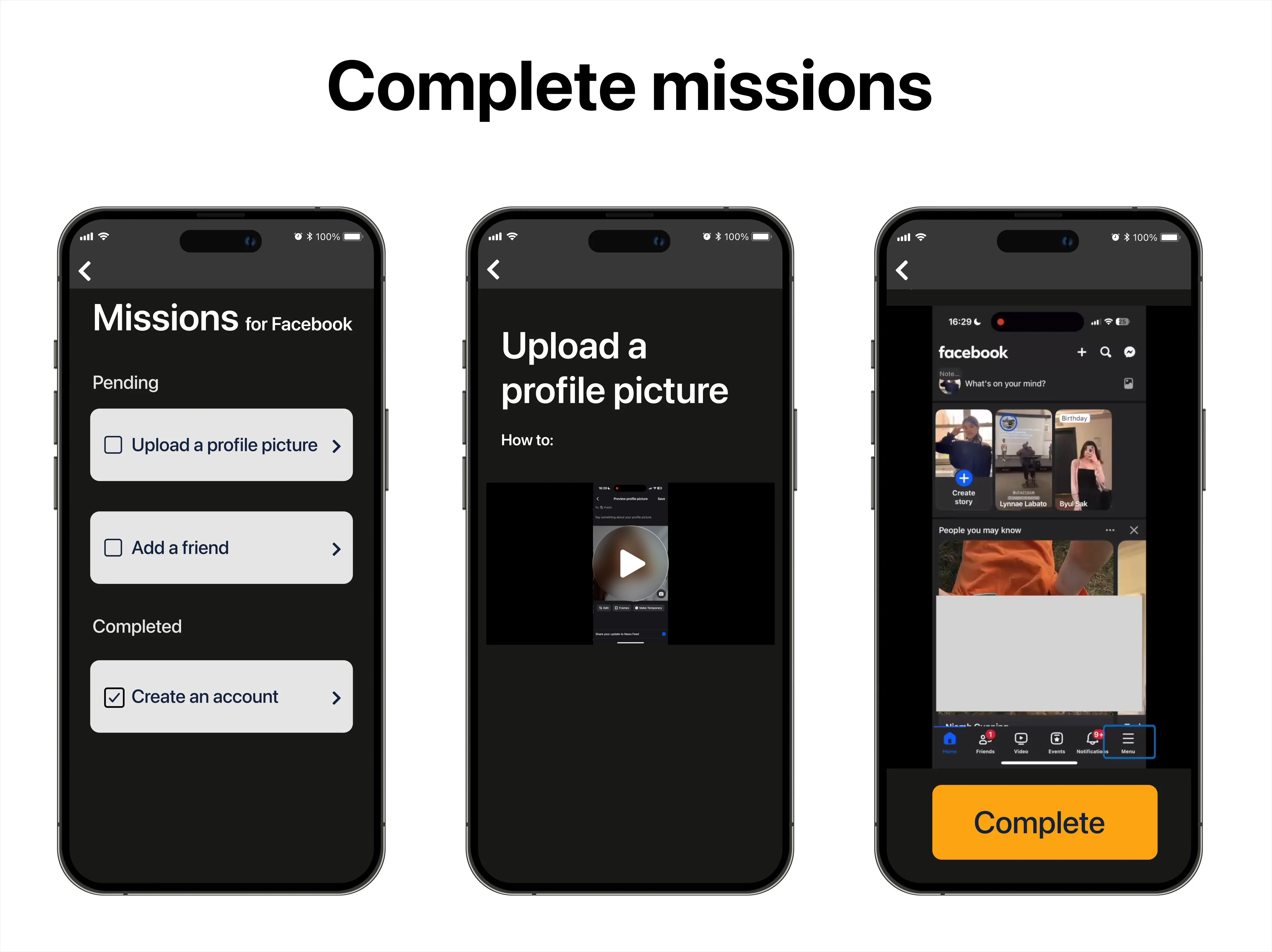
Learning Missions & Community
Structured learning and social support for older adults. Younger adults can monitor learning
progress to help tailor support.
Younger adults can add missions for older adults and follow their progress in achieving
their learning goals.Older adults can see missions available to them and complete them as they wish. They can
also revisit completed missions whenever they need a refresher.
Discussion & Conclusion
Direction Going Forward
The primary next step is conducting evaluative usability testing with both older and younger adults.
Testing the interactive prototype in realistic scenarios will be essential to validate the walkthrough
creation workflow, measure the voice agent’s usability, and refine button sizing and navigation flows
based on direct feedback.
Limitations
Recruiting older adults for remote research posed logistical hurdles, and studying both generations
together synchronously was not always feasible within our project timeframe. Furthermore, our sample size
was focused on qualitative depth, meaning wider quantitative testing across diverse digital literacy
levels would be beneficial.
Conclusion
This research contributed meaningful insight into intergenerational technology support, demonstrating that
sustainable digital literacy depends just as much on easing the burden on younger family mentors as it does
on empowering older learners. Through contextual interviews, cultural probes, and co-design workshops, the
study uncovered key emotional and technical pain points—such as password anxiety, interface confusion, and
mentor fatigue—and translated them into a dual-interface model combining proactive AI assistance with
family-crafted guides. While project time constraints prevented formal usability testing of the final
prototype, the research provides a validated, empathy-centered framework for designing technology that
fosters intergenerational patience, confidence, and connection.